Downloads / Unbolt Tools
Free, open-source tools by Unbolt Inc. No accounts, no logins. Everything below is GPL-3.0.
How to install on your phone (sideload)
1. Download the APK on your phone (or copy it over). 2. Tap it — Android asks for permission to install from your browser/files (Settings → Install unknown apps → allow). 3. Tap Install. You’re done — no account, no store.
The next-gen Android launcher — One UI feel, Nova depth, Hyperion polish, Lawnchair openness. Free, open, no ads, no telemetry.
test builds- One UI preset: 4x6 grid, vertical drawer, squircle icons
- PolyQon theme sync — accent, icon shape and colour style
- Optional PolyQon Xposed bridge for persistence on resume
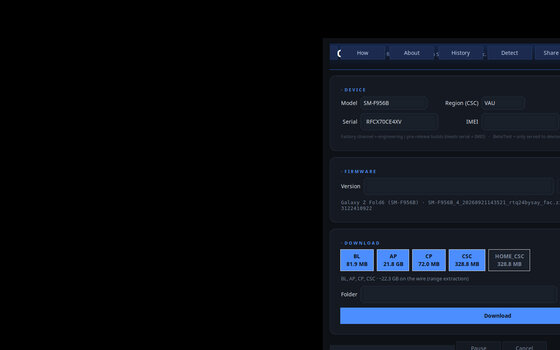
Sneak Peek · Desktop GUI
Samsung FUS firmware downloader — firmware straight from the source, full speed, no login.
shipped- Firmware direct from Samsung’s FUS servers — full speed, no account
- Per-partition extraction + v2/v4 decrypt
- GUI + CLI, Linux and Windows
- BL-only pulls, verified (sha256 + tar.md5)
- Update check on every launch
- Unbolt dark theme + cut-out icon
- Download queue + resume
- Samsung USB drivers bundled in the package
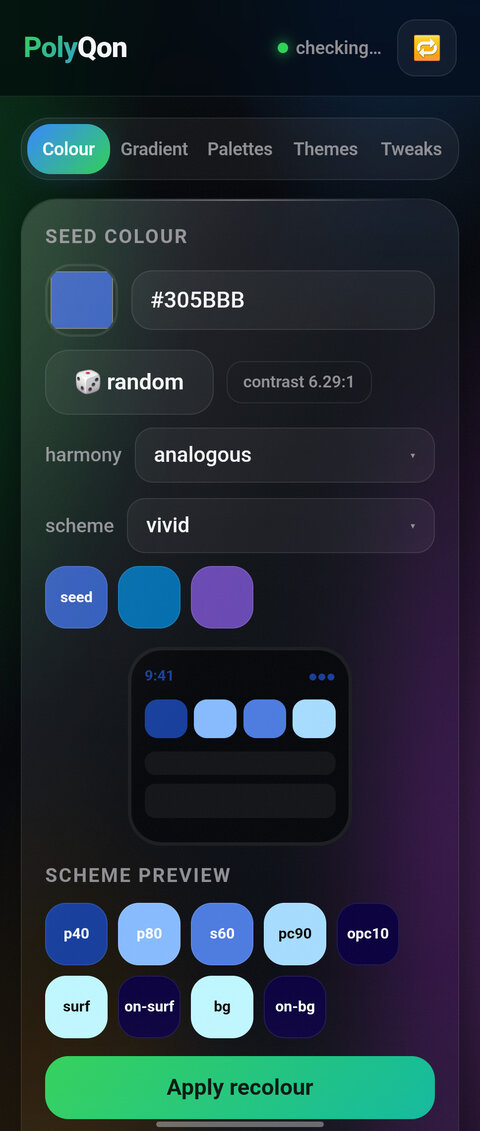
Sneak Peek · The Phone App
All-Android tweaks (9+) — full One UI theming suite on Samsung. Open source, free to use.
shipped- 30+ tweaks, live-verified on One UI 7 and One UI 8.5
- Quick settings: columns, icon colour + shape, shade alpha
- Clock: position, colour, size, format, date, font
- Battery: 5 styles, hide, per-state colour
- Recolour via Samsung’s official colour slots
- Edge Lighting: style, colour, width, duration, per-app
- Lockscreen corner shortcuts (left + right app)
- QS panel theme: background colour, opacity, blur
- Status bar icon cleanup: hide VoLTE, NFC, Modes + 7 more
- Works folded and unfolded
- Update check on every launch
- Unbolt theme + cut-out icon
- Universal tweak set for non-Samsung devices
- Lockscreen clock fonts + styles
- LTE/4G indicator styles
- Font picker + notification colours
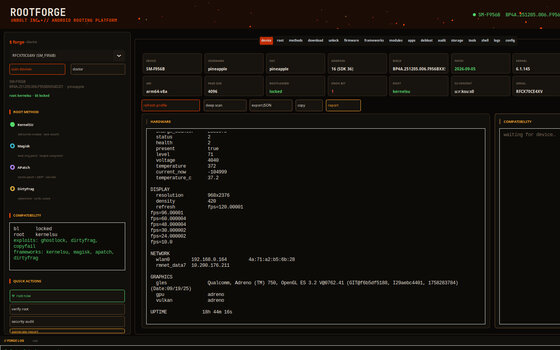
Sneak Peek · Desktop GUI
All-in-one rooting toolkit — plug in, it knows your device and every way to root it.
shipped- Full device profile the second you plug in
- Every rooting method for your exact device — with a recommended path
- Smart downloader — the right files for your device, best match first
- Bootloader unlock wizard — walks through every brand’s route
- Firmware via Orbit link + Odin/Heimdall + fastboot/fastbootd
- Native GUI (5 destinations, 17 screens) + CLI
- Update check on every launch
- Unbolt dark theme + cut-out icon
- Samsung USB drivers bundle
- More brand unlock wizards + EDL/SP-Flash modes
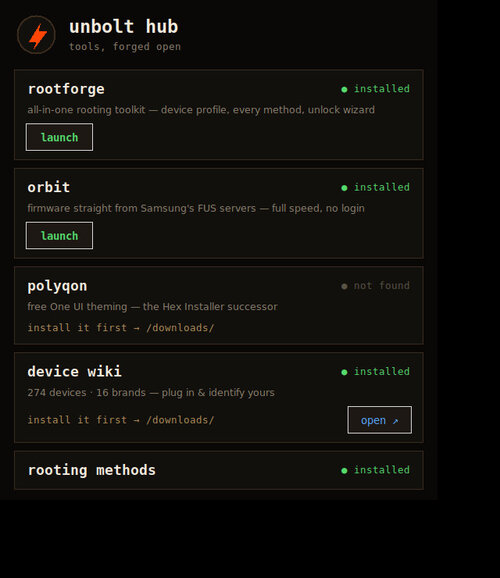
Sneak Peek · Desktop Control Panel
The control panel for the whole tool family — one window, everything Unbolt.
shipped- One panel: RootForge · Orbit · PolyQon, auto-detects what’s installed
- Device wiki + rooting methods shortcuts
- Remote In — live screen mirror + control (USB or WiFi)
- Test Lab shortcuts — Samsung RTL + TestingBot
- Android edition: device info, share (read-only), app shortcuts
- Phone ↔ desktop LAN pairing (6-digit PIN + QR)
- Update check on every launch (all editions)
- Community live counter (APK)
- Desktop → phone update push (adb)
// compatibility
Pure Java, no native libs — any CPU.
Every device 9+ · full One UI suite on Samsung.
Needs adb; matches kernels 5.15 → 6.18.
FUS downloader, BL-only pulls.
Cloud-tested on TestingBot (Android 13–17) and Samsung Remote Test Lab (One UI 9). macOS: run from source or via Wine — no native macOS build yet.